AutRi captures shelves; GMetri reads them against the planogram; the Agentic Command Centre routes the fix to PulsePoint — and the next AutRi scan closes the ticket.
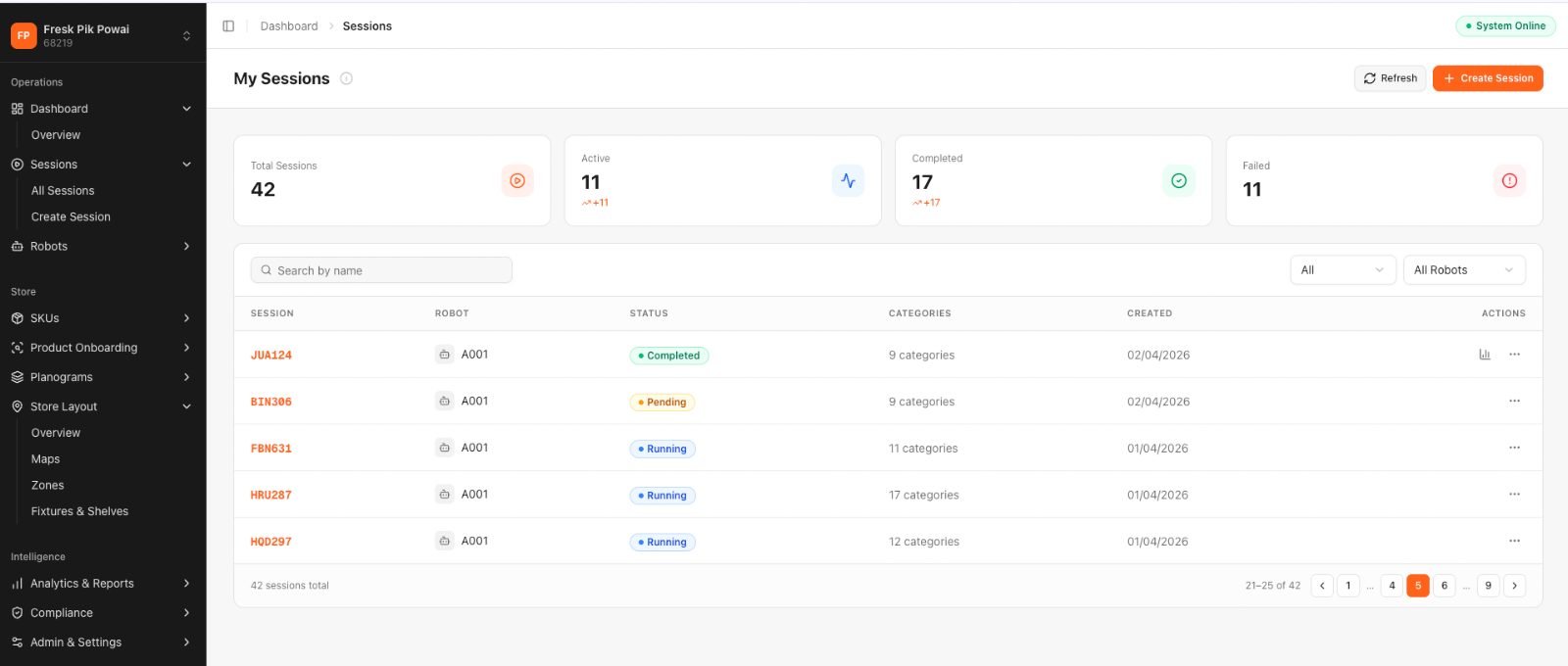
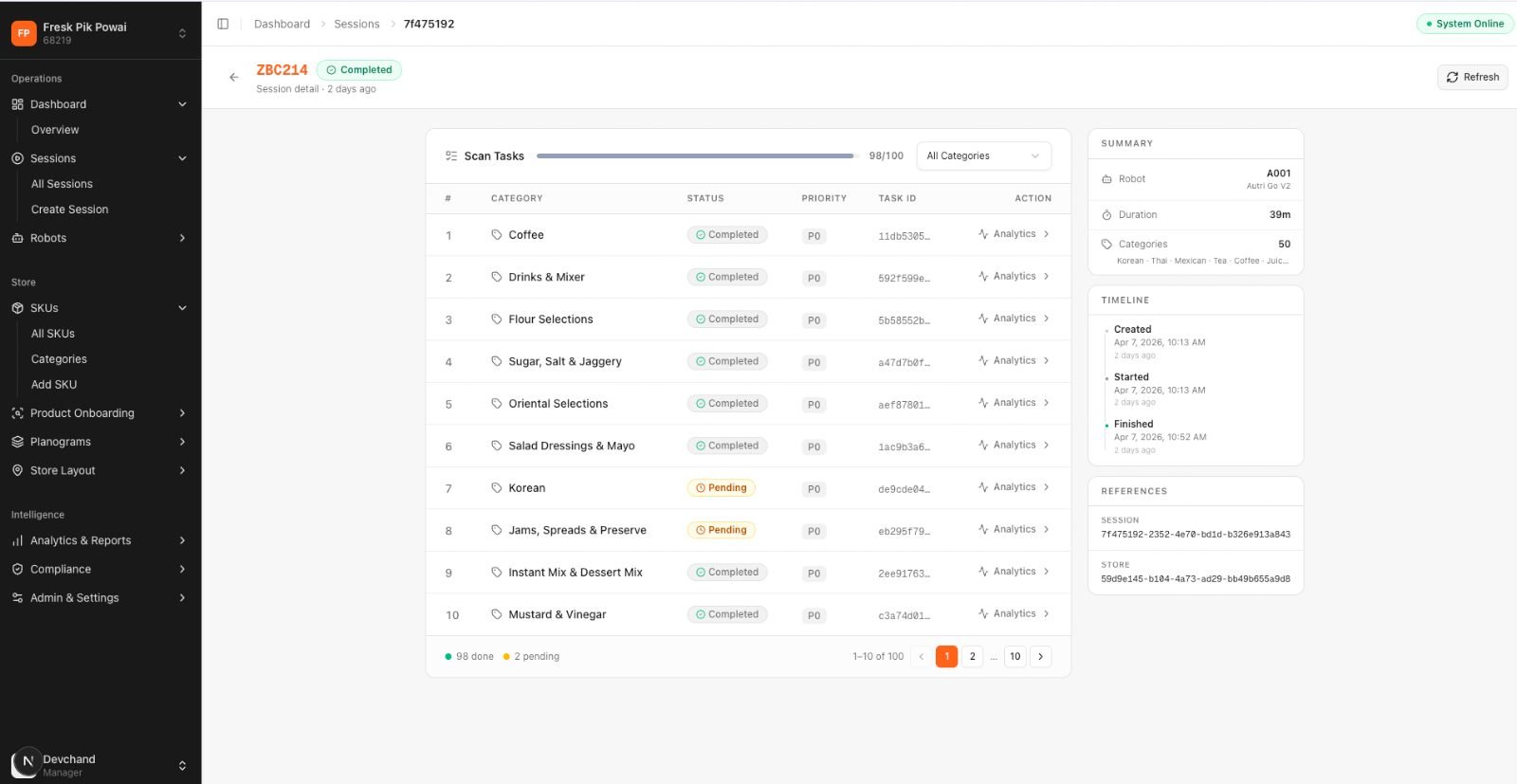
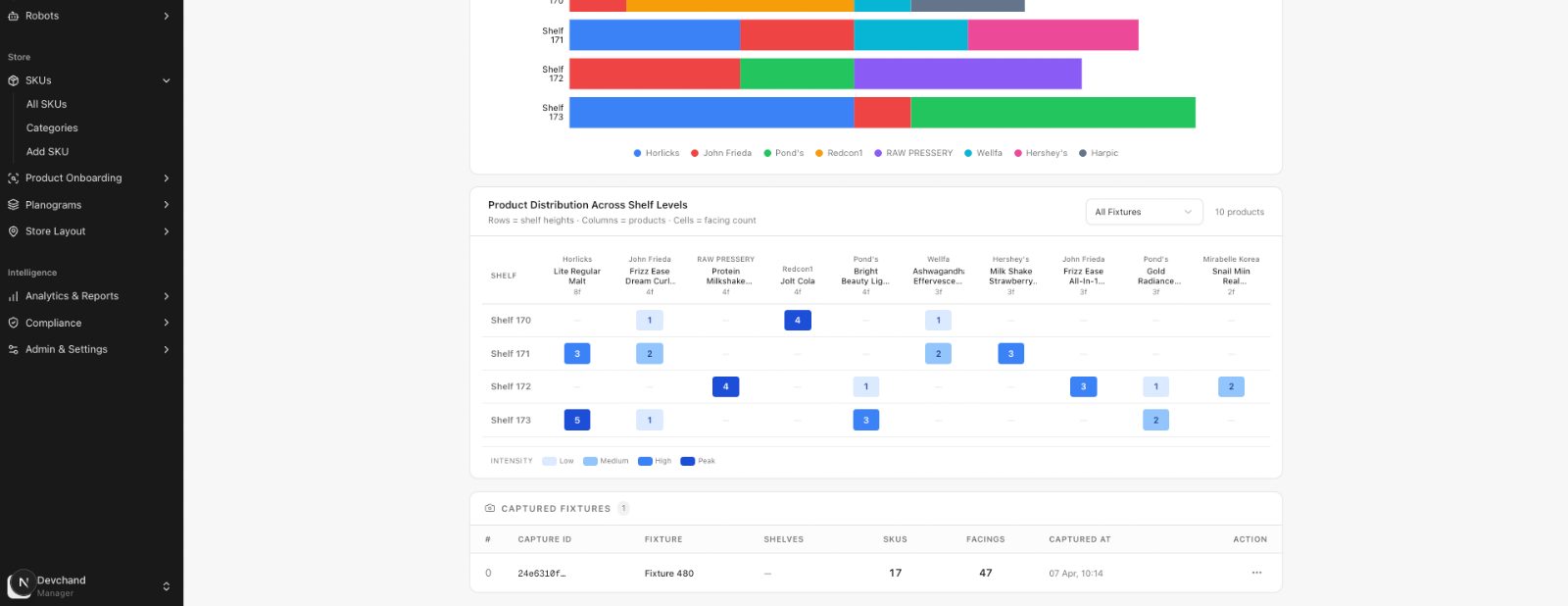
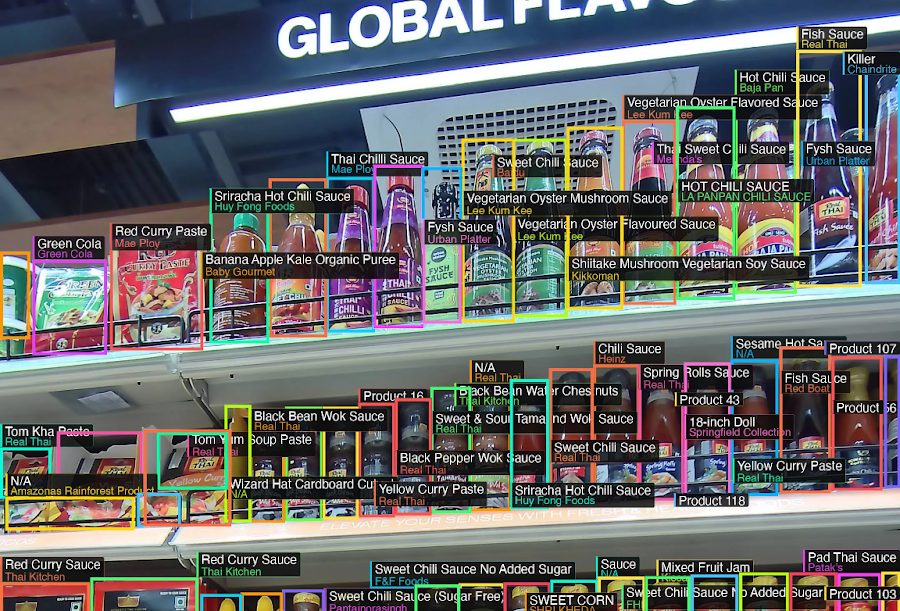
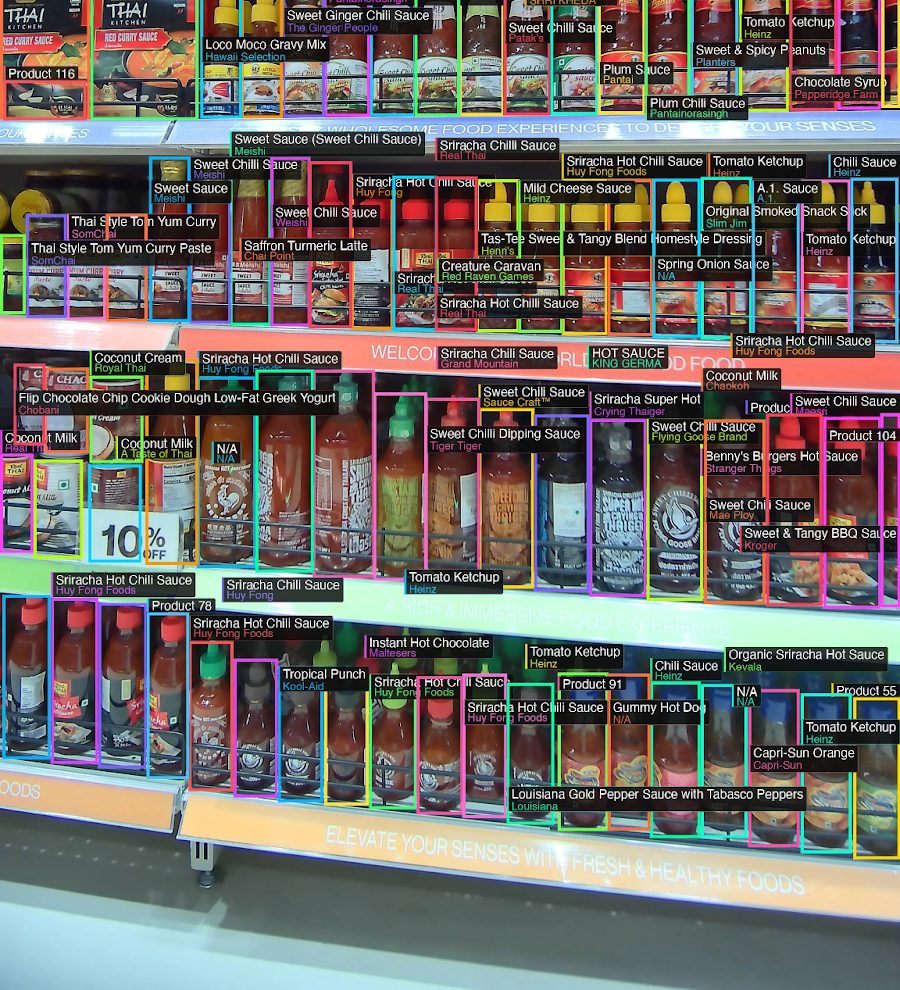
Phase 1 with Fynd Nucleus is running at FreshPik Powai — AutRi executes scheduled scans, draws bounding boxes around recognised SKUs, and produces brand-occupancy and facing heatmaps. A human still has to log in, interpret the heatmap, and tell someone to fix what's off. The agentic flow removes the human from the middle of that loop.
Planogram compliance means the live shelf matches the plan in every store, all day, every day — across six dimensions. Each one is what the AutRi scan reads, what GMetri interprets, and what the Agentic Command Centre decides on.
| Dimension | What the system is checking | Example non-compliance |
|---|---|---|
| Product presence | Is the SKU on the shelf at all | Empty slot for a top-velocity SKU |
| Product placement | Is the right SKU on the right fixture and shelf level | Wrong brand of cooking oil on the premium shelf |
| Facing count | Are the expected number of facings present | 2 facings instead of the planned 4 for a promotional SKU |
| Price tag accuracy | Does the price tag match the current price master | Old price tag on a live promotional SKU |
| Promotional execution | Are promotional end caps and POS displays set up | Missing end cap for the week's featured SKU |
| Shelf cleanliness & order | Is the shelf set up as per the visual standard | Products toppled, stacked incorrectly, or damaged |
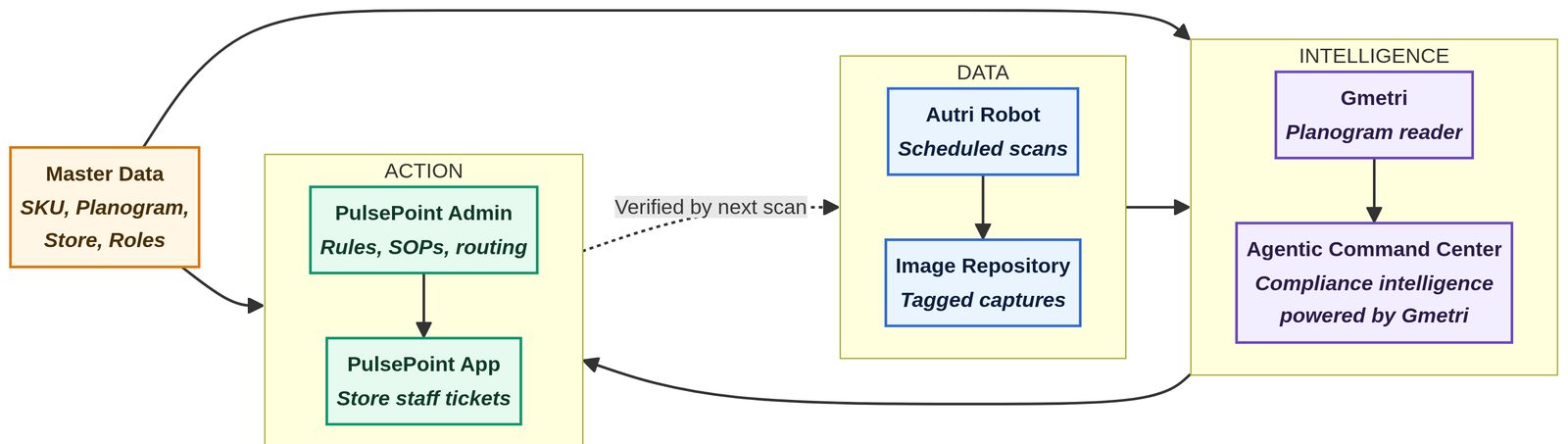
Every layer exists to serve the planogram-compliance use case — no more, no less. The Data layer sees the shelf, the Intelligence layer judges it, the Action layer fixes it, and the Data layer re-sees it to close the loop.
Produces the ground truth of the shelf, tagged to fixture, zone, and timestamp. Per-scan-session uploads of high-resolution captures with bounding boxes.
Turns ground truth into a compliance judgement, dimension by dimension, then decides what to do about it — triaged by SKU velocity and severity.
Turns the decision into the specific act that restores compliance, with the right person, the right SOP, and an evidence requirement.
The single source of truth for what compliance means on every fixture, in every store, for every role. Hourly sync; stale planograms block ticketing.
The dotted "verified by next scan" arrow from Action back to Data is the contract that makes this self-verifying — without it, this is just another ticket queue.
A ticket is closed only when the next AutRi scan confirms compliance on that fixture. Staff evidence alone is not closure. This is what makes the loop self-verifying — and what makes the compliance number trustworthy.
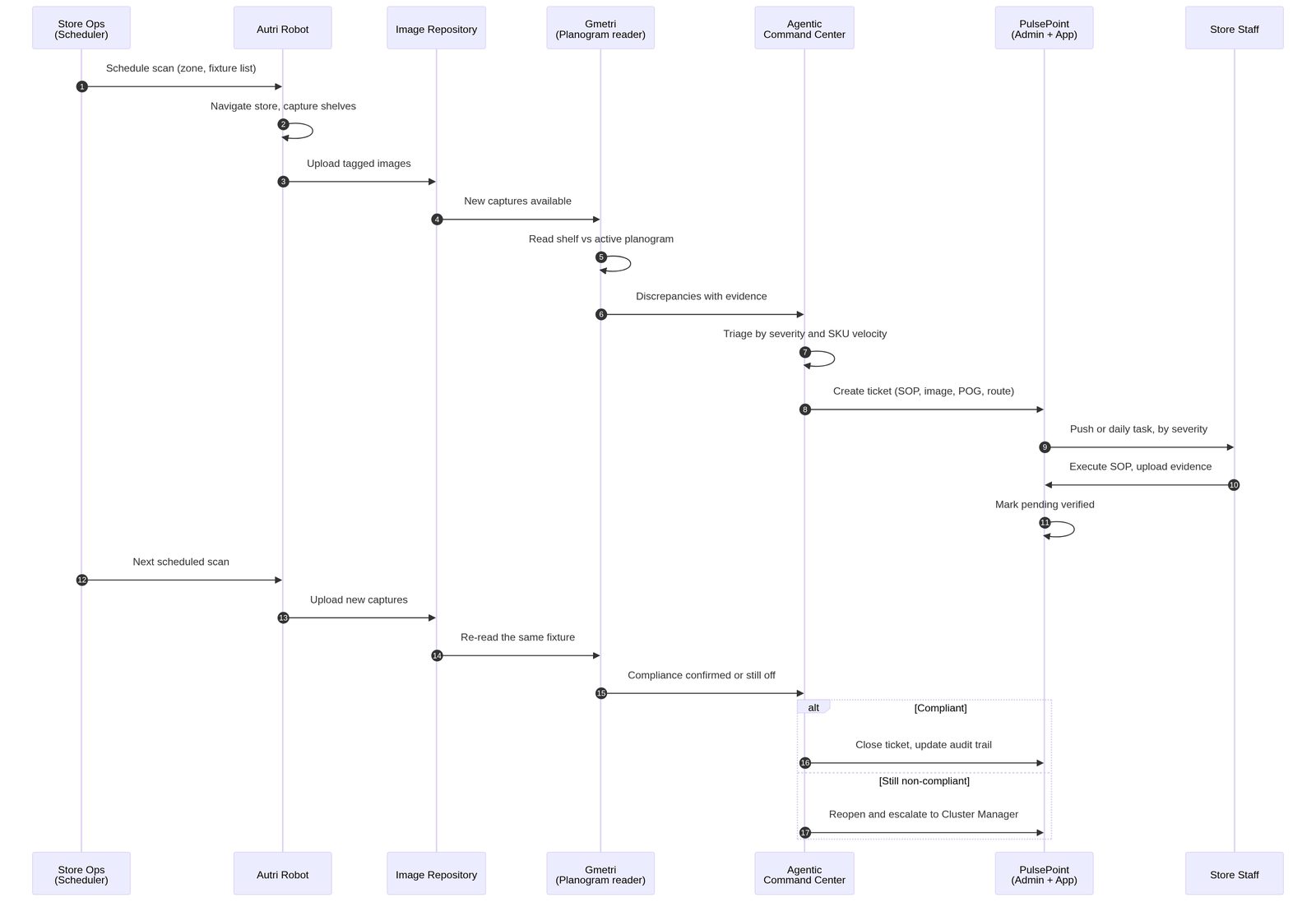
Robot runs scheduled sessions; captures shelf images per fixture and zone.
Reads the shelf against the active planogram version; detects presence, placement, facings, price, promotions.
Triages each discrepancy by compliance dimension, severity, and SKU velocity; decides the action.
Auto-creates a ticket with the shelf image, expected planogram view, and SOP; routes to the right role.
Staff evidence moves the ticket to pending verified. The next AutRi scan closes the ticket — or escalates.
The exact sequence the system runs, from a scheduled scan to a verified closure. Every step has an owner and a handoff — no manual bridges.
Each compliance dimension has a specific detection path, a specific severity decision, and a specific role it routes to. Velocity weighting and the active-promotion window override the default severity.
| Dimension | Detected by GMetri | Decided by Command Centre | Acted on in PulsePoint |
|---|---|---|---|
| Product presence | Empty or non-matching slot | Weights by SKU velocity · flags Critical for top-velocity SKUs | Restock SOP → Department Manager |
| Product placement | Wrong SKU on fixture | Flags High | Planogram reset SOP → Department Manager |
| Facing count | Facings counted vs planogram | Flags Medium · High if SKU is promotional | Facing correction SOP → CSA |
| Price tag accuracy | Reads tag text · compares to price master | Flags Critical for live promotional SKUs · High otherwise | Price correction SOP → Store Manager |
| Promotional execution | Missing or incomplete end cap vs planogram | Flags Critical during the promotion window | End cap setup SOP → Visual Merchandiser |
| Shelf cleanliness & order | Toppled or out-of-order state | Flags Medium | Shelf reset SOP → CSA |
Value starts flowing before the full loop is live. Stages run in sequence, with Stages 2 and 3 overlapping through the middle of the build.
Align fixture, zone, SKU, and store IDs across AutRi, GMetri, and PulsePoint. Load grocery SKU catalogue and planogram library into GMetri. Ingest the promotion calendar.
Tune GMetri across all six compliance dimensions. Write grocery triage rules in the Agentic Command Centre — dimension, severity, velocity, promotion-window — and the SOP mapping.
Build the intake from Command Centre into PulsePoint. Configure grocery SOPs, evidence requirements, and the escalation matrix from Store Manager → Cluster Manager → State Head.
Run the end-to-end loop in two pilot grocery stores. Measure loop health weekly. Scale to the rest of the grocery estate after four consecutive weeks of steady KPIs.
Grocery is not fashion. The design choices below earn trust with store staff from day one and keep the inbox focused on what hits revenue.
An empty slot for a top-velocity SKU is not the same as a facing drift on a slow mover. The Command Centre weights triage by SKU velocity, not raw count of violations. Keeps the Store Manager's PulsePoint inbox focused on what hits revenue and customer experience.
Promotions drive a disproportionate share of grocery sales and customer trust. Price mismatches and missing end caps during an active promotion window are flagged Critical and go as push, regardless of the underlying compliance dimension. This lane has its own SLA.
Compliance signal is only meaningful after restocking has happened. AutRi scans are scheduled immediately after the primary restocking windows so alerts reflect post-restock reality. This single choice removes a large class of false alerts and earns trust with store staff from day one.
Nine targets, every one measurable. They are aspirational until the loop is live in pilot — then they become the contract.
| Outcome | Target | Why it matters |
|---|---|---|
| Planogram compliance rate · grocery estate · velocity-weighted · all 6 dimensions | ≥ 95% | Direct measure of shelf health |
| Time to ticket · scan → PulsePoint ticket created | < 10 min | Tells us the intelligence layer is responsive |
| Time to first action · ticket created → staff acknowledgement | < 30 min Critical & High | Tells us the action layer is reaching the right person |
| Time to verified closure · ticket created → next scan confirming compliance | < 24 hr | Tells us the loop is actually closing, not just marked closed |
| Share of tickets auto-created vs manually raised | ≥ 90% | Tells us the system, not the human, is driving the loop |
| Re-open rate after staff marked closed | < 5% | Tells us evidence is not being gamed |
| Manual shelf-audit effort · per store per week | −70% | Direct operational saving for Cluster Managers |
| Out-of-stock rate · top-velocity SKUs | −40% | Business impact on revenue |
| Promotional price & end-cap errors caught inside the hour | ≥ 95% | Customer experience and trust |
The loop only works if the staff trust it, the data stays fresh, and a robot outage doesn't stop the store.
| Risk | How we design against it |
|---|---|
| AI noise on dense shelves · visually similar SKUs | Confidence threshold inside the Agentic Command Centre. Low-confidence items queue for a quick review before becoming a ticket. Continuous calibration on misses. |
| Staff alert fatigue | Strict severity tiers. Critical and High go as push. Medium and Low batch into one daily task per zone. One-pager per SOP, no ambiguity. |
| Planogram or promotion-calendar drift | Hourly sync of planogram library and promotion calendar. Block ticketing on any fixture whose planogram version is stale. |
| Scan-coverage gaps when the robot is offline | Graceful fallback to a manual audit checklist in PulsePoint for affected zones. Auto-resumes once the robot is back online. |
| Role-mapping errors routing tickets to the wrong person | Master data plane owns the role map, with daily reconciliation against HRMS. Incorrect routes get flagged in the Command Centre. |